

|
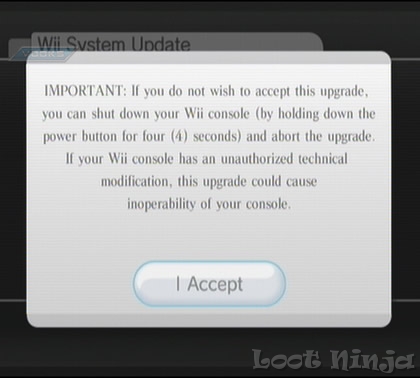
Nintendo has released Firmware Update 3.4. Here is the changelog from the update:
3.4 Change Log: * Wii Points will soon be called Nintendo Points, and all references as such will be updated. All other functionality with Nintendo Points will remain the same.
(From users at NES-Hacks) The latest unconfirmed info is as follows:
It is recommended that you not update until a patch has been released. |
|
| Posted in Brewology, Wii | No Comments » | |
|
Looks like a beta tester of Waninkoko's Wii Backup Loader has leaked the software. This software has NOT been tested and is advised not to use until a full release is made. As always, if anyone does try this please let us know if it works.
The Wii scene is growing……..
UPDATE: As a result of the leak, Waninkoko has expressed his anger with GBATemp and announced that he has abandoned the project and will no longer be producing any new versions of this app.
UPDATE 2: Since the project has been abandoned and there will not be a new version here are the tools necassary to attempt. We take no responsibility for anything that happens to your console. USE AT YOUR OWN RISK!
Step 1. Install the CIOS36_rev5-64-v1042.wad Step 2. Install the DVDX .dol into your apps and setup via Homebrew Channel - Click advanced and set it to 249 Step 3. Create a folder on your SD card in the apps folder and name it Wii Loader (Or whatever else you want) and put dvd-back.dol in there. Step 4. Make sure that "backup-creator.exe" , "common-key" and what .iso you are wanting to backup is in the same folder. - Drag the ISO over the "backup-creator.exe" This will create a new iso called partition.iso Burn with IMGBurn Step 5. It will ask to insert a Wii disc. Insert your backup. Your backup should load. Download the files at:
This has all the tools necassary to start from scratch (Twilight hack, homebrew channel, DVDX, and Wii Backup Loader).
http://rapidshare.com/files/147055112/WiiLoader_Tools.rar
|
|
| Posted in Brewology, Wii | No Comments » | |

|

Happy Labor Day!!!
From the Brewology Team |
|
| Posted in Brewology | No Comments » | |
|
Apple has just released iPhone firmware 2.0.1 which seems to address many of the problems users faced with the new 2.0 firmware. Here is what users have been saying who have updated to 2.01:
Again, it is reported that Pwnage Tool does NOT work with the new firmware. If you have your iPhone unlocked or jailbroken DO NOT update as it will remove them.
Please leave feedback if you do update and let us know what your experience is. |
|
| Posted in Apple, Brewology | No Comments » | |
|
"Share your iPhone's EDGE or 3G Internet connection with your computer using NetShare. NetShare provides a SOCKS5 proxy for your computer to connect to."
So basically what this does is turn your iPhone into a wireless modem for your laptop to connect to the internet when there is not a connection around. There are still some bugs to work out in the software but it is looking very promising. It is currently being sold for $9.99 on the AppStore. If anyone tries it out, please post your feedback and let us know what you think. |
|
| Posted in Apple, Brewology | No Comments » | |
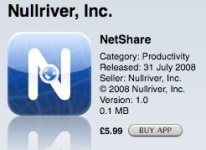 One of the greatest features missing from the iPhone has been the ability to tether it to a laptop. NullRiver is making this feature possible by releasing their NetShare software. Here is the description from the AppStore:
| Next Entries » |