

|
A new Wii channel was released today, called the “Nintendo Channel”. This channel gives the user videos and information on games, as well as DS downloads and purchase links. This channel also gathers anonymous information on your settings and playing habits, and allows you to recommend titles and channels you’ve used for over an hour on your console. A WiiConnect24 message containing the necessary update was sent out today, and the channel is available for free download on the Wii Shop Channel. |
|
| Posted in Wii | No Comments » | |
|
Well we all know one time or another we have had to call that dang customer service. It is a dreaded feeling calling and listing to the machine try to help you. Jason at Doombot has developed a process for reaching intelligent life at XBOX customer service. He discovered this easy 4-step procedure thanks to a XBOX 360 that enjoys not reading discs. 1. Call 1-800-4-MY-XBOX. I know companies make these machines so they don’t have to spend as much money… but can you make them a little smarter? |
|
| Posted in XBox | No Comments » | |
 Here's the changelog:
The most interesting feature, the ISO/CSO from UMD option, works quite well. After about an hour or two, the app made a CSO straight from a copy of Castlevania: the Dracula X Chronicles, which ran without any issues excluding minor lag in load times. Be sure to read the Read-me included before running, as this app can mess a few things up if you aren't careful. |
|
| Posted in PSP | No Comments » | |
 Now this one intrigued me. Ever wanted to learn Kanji? Well this has to be the most perfect little homebrew app I have seen. Homebrew developer billylee8 just released his 9th set for the "PSP Kanji Learner" series. The 9th set contains over 250 Kanji characters to use daily, as well as additional lists.
The aim of the program is to utilize videos and images translated to English for us, to hopefully allow you to learn the Chinese characters used in modern day Japanese writing. If your just now starting out you will need to start with the 1st set and work your way up.
As always, you need custom firmware or some sort of way to play homebrew on your PSP to use this program. If you need any help just ask at the help forums.
Download Page for Set 9 | Direct link for Set 9 | Download Page for Set 1 |
|
| Posted in PSP | No Comments » | |
|
PlayStation Day occurs on Tuesday, May 6th so be sure to check back here for full coverage of the event. [Resource Kyle] |
|
| Posted in PS3 | No Comments » | |

 Homebrew developer Art has just released his modified version of Deniska's homebrew app "MapThis!". MapThis! is a GPS app used in compliance with the GPS addon. This a just a modification to the original program, but added some nifty things, of which include:
-Constant autoload feature.
-HOME button can be used to exit.
-Startup Splashscreen is not shown.
-Map named "_Default" is always auto loaded at startup reguardless of config setting.
Art states that you must rename your most often used map with the name "_Default" to ensure proper autoloading. You need to have the original MapThis! v0.5.2 installed and then install this modification by replacing the Eboot.PBP file. Download links are below. As always, you must have custom firmware, or a way to use homebrew on your psp to use this program, and you can use either a phat or slim. Check the help section if you need help.
|
|
| Posted in PSP | No Comments » | |
|
A slew of new content was added to the Playstation Store for PSP and PS3 owners yesterday. Downloadable Games
Add-on Game Content
Game Demos
Game Videos (free)
PS3 Wallpaper
PLAYSTATION STORE for PC (PSP) Downloadable Games
Game Videos (free)
PSP Wallpaper (free)
Quite a lot, no? Enjoy! |
|
| Posted in PS3, PSP | No Comments » | |
 .
.|
For PSP homebrew users that don't always have access to a computer, the Get!T application can download and un-zip files using wireless internet. The newest version improves on the app's functionality and adds new features. Changelog:
The new update feature allows the user to download a new version every time a new version is released, useful for those that only use their PSP to veiw the internet and download files. As with all apps, read the read-me included before installing. Enjoy 05/05/2008: Version 0.4 is now available, which fixes a few bugs and allows for simultaneous downloads. |
|
| Posted in PSP | No Comments » | |


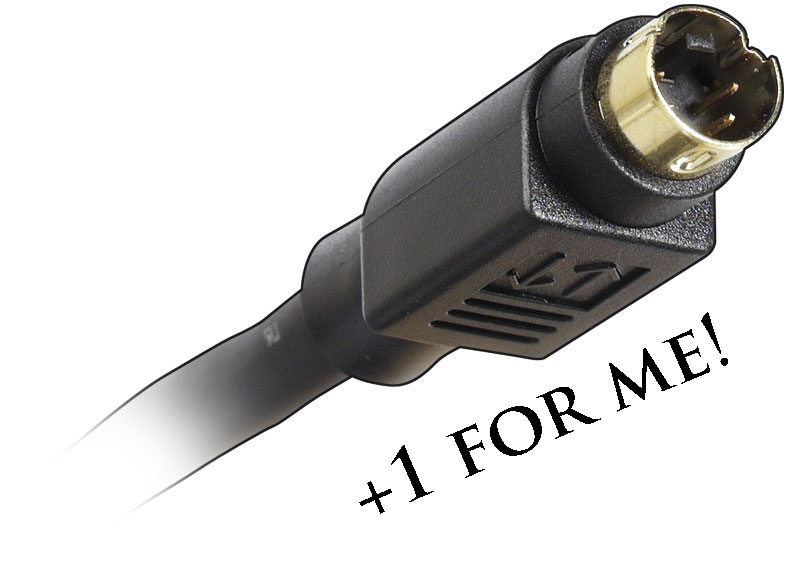 Yep thats right, homebrew developer OldPrisoneR has released the initial beta version of his plugin called "FuSa" for custom firmware users. This plugin is great for slim users who don't own well, the newest of new TV sets, and still want to play their games on their TV screen. But theres always a great alternative for those less fortunate, as usual, why not composite? Yep, that's what this plugin does for yah, play your PSP through your TV screen using a composite connection. As for phat users, you always have the TV remote option.
Updates in build 011 unclude:
-Added "autoenable"
-Added SpeeD BoosteR
-Now you can enable/disable SPEED BOOSTER
-Killzone: Liberation, and SH: Origins now run perfectly
-There was some noise in home screen – fixed
As usual, read the readme that comes with the file. Also, you need to custom firmware to run this plugin. Check the help section if you need any help.
|
|
| Posted in PSP | No Comments » | |
|
Well for everyone who doesn't know what this is, it is a PRX that allows you to listen to your saved music anytime. That is right, including IN GAME.
Cpasjuste has recently ported the Music PRX plugin to custom firmware 3.90 M33. Enjoy your own MP3s and atrac3 files straight from your memory stick’s MUSIC directory. Cpasjuste also notes, “this has been tested on a 3.90 M33-3 slim PSP, WITHOUT the fatmsmod patch applied.”
If you are using a lower firmware please upgrade. |
|
| Posted in PSP | No Comments » | |

| « Previous Entries | Next Entries » |