

|
Despite the language barrier, I can tell a good app no matter what. A Brazilian developer, Luiz Pestana, has just released an excellent FTP app based on Zx-81’s PSPFTP. But here’s the thing, this version was developed for use on the OE firmwares, taking advantage of the higher firmware’s WiFi security. This kind of App is also perfect if you've lost or cannot find a USB cable for your PSP! Note that you must place it in the normal GAME folder, not GAME150 like any other homebrew. Great job Luiz, we hope to see farther updates to your new homebrew!
|
|
| Posted in PSP | No Comments » | |
|
This application by Infantile Payalysiser before had quite a few bugs in its final final beta 1 release. One of the main changes in this release is the L/R button is locked item is added to the system menu. You can find all of the changelogs in our downloads section. Heres Moonshell v1.6 finalfinalfinalbeta1 by Infantile Paralysiser [ Moonshell finalfinalfinalbeta1 v1.6 ] |
|
| Posted in PSP | No Comments » | |
|
The XCM Multi-cable V2 PC Monitor Adapter. This unit will allow you to have a truly integrated entertainment center by allowing your next gen consoles to be displayed on your favorite PC LCD Monitor for the Maximum resolution!!! Official Site: http://www.teamxtender.com |
|
| Posted in XBox | No Comments » | |

|
This product is a great alternative that doesn't need any power, and the fact that it is a hand tool makes it easier to follow straight lines than an overpowered rotary tool. Also conveniently avoids any worries of slipping and taking an accidental 'bite' out your Xbox's finish. Easy enough for any age to use, and very difficult to hurt yourself during use. This tool was built to custom specifications for its specific use with the xbox 360. Other tools of this type will not have the necessary clearance to work on the thicker plastic of the Xbox 360. In addition to being useful for cutting windows, it can also be used to cut fan holes and other types of egress. Benefits: Best tool to install Talismoon X-Ray kit! Official Site: www.talismoon.com |
|
| Posted in XBox | No Comments » | |

|
An anonymous person at the German 23C3 Hacker Congress showed what could be an Xbox360 hack/exploit during one of the 'Lightning Talks'. Lightning Talks is a daily event at Chaos Communication Congress (C3/CCC). It consists in one hour of several short (limited to 5mins) talks. In a very short presentation a masked 'hacker' showed an Xbox 360 booting up King Kong (the game, by ubisoft). After loading the game a screen pops up showing an Xbox 360 logo, a Mac logo and Tux (the Linux Penguin) and the words "coming soon…". I also noticed a small PCB is hanging out of his Xbox360 and he's using a laptop (Apple Macbook pro?), but it's not really clear what he's doing with it. Those who followed hacking discussions might remember hackers did some research around the vector shaders in the King Kong demo on the Xbox 360 Kiosk Disc (that ran from recordable media). The demo (and final game too) allow to modify the shaders (they are not checked/signed). However no exploit to take control of the machine was found back then … so either this hacker found something here, or he's just showing us his custom modified shaders |
|
| Posted in XBox | No Comments » | |
 That's all the details we have for now.
 |
Heres how the game works, you are suppose to stop the updates from infiltrating your PSP by shooting them with your cursor/crosshair. If the update has any collision what so ever with your PSP, then its all over, game over that is. To make it difficult, the speed goes higher each step as you go. Heres Tactical Penguins clever radical game: defend your PSP! |
|
| Posted in PSP | No Comments » | |

|
Flash-Free cIntro Mod for CF 3.0
SHADOWZ has released a flashless version of his cIntro mod. Last week there where reports of cInto bricking 3.0 custom firmwares, this version fixes that. Here are the flash free instructions:
The read me includes a how-to for 3.02 and 3.03 OE custom firmwares. And thank you to SHADOWZ, dark420bishop, and Piccahoe for developing this app and its mods. Remember, this is meant for 3.0 custom firmwares, hopefully no one else will try using the original cIntro and brick their awsome 3.03 OE-B psp. Enjoy! |
|
| Posted in PSP | No Comments » | |
|
When it came to the European launch date for the PS3, Sony hasn't been the most informative source. The most we have been able to get out of them is that the PS3 will be launched sometime in March. Recently, an anonymous source has informed the masses that an announcement from Sony on more details about the launch in Europe is very close at hand. This news is "likely to go ahead at the end of January". Shortly after this statement was made it was backed up by a Sony spokesperson who has confirmed the announcment. What does this mean? It means to mark your calendars for the last week of January! Remember this does NOT mean that the PS3 Euro launch is in January, simply more details on the launch will be provided, So keep checking back to the site for more details! |
|
| Posted in PS3 | No Comments » | |
|
Rather to be safe than sorry, we decided to post this news. Basically it seems that atleast some Cintro mods modify recovery mode so that it loads from flash1 rather than autoloading from an eboot on the memory stick. So Basically you cant load up your PSP in recovery mode and you can brick your PSP. Forum Thread Here |
|
| Posted in PSP | No Comments » | |
|
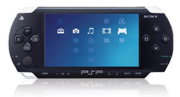 PSP firmware 3.03 OE-B has been released folks! For those of you who are not aware, OE revision A and B were previously released for PSP firmware 3.02 Kernal, after upgrading from a 1.50 kernal, you could do up to so many things. These things also included being able to do anything a 1.50 firmware could do thanks to the 1.50 kernal from recovery. Recovery too was a good feature, because of the new plugins, you could do almost any PRX you wanted to add on your PSP! Including VSH, so you could go back to 1.50 firmware anytime you wanted! Lots of people are already aware of the Playstation Emulator, being able to have compressed Dumped Images onto your PSP thanks to OE-A, but OE-B has a complete new concept:
If you do not already have OE-B, then you are required to update from 3.03 OE-A. (remember, an update from 3.03 OE-A means you must have updated from 3.02 OE-B, vice-versa 3.02 OE-A aswell) Simply drag the MS_ROOT folder containing the update EBOOT.PBP into your PSP/GAME directory.
[ PSP 3.03 OE-B ] |
|
| Posted in PSP | No Comments » | |
| « Previous Entries | Next Entries » |