

|
Heres his current features: *Weapon pickup/selection, 3 weapons (Pistol, Machine Gun, Sniper), Weapon Armor and Ammo (individual for each weapon) *Weapon power and ammo (for certain weapons) *3 differrent types of enemies *Menu and Intro *4 levels *Scrolling *Interesting story (Similiar to the game) *Smooth animation and weapon selection *Impressive HUD which keeps you updated with things
Xx FightStar xX also explains that the game is a bit buggy and that the crosshair has to be exactly/almost on the enemy for it to hit. Good job there FightStar, we hope to see your next versions!
Download: Halo: Genocide
|
|
| Posted in PSP | No Comments » | |
|
 PSPSource has just announced their summer coding competition. All you homebrew developers out there won't want to miss out on this one as the prizes are more than generous. Take a look below at the rules and list of prizes. Good Luck!
For more info and how to register check the link provided below.
|
|
| Posted in PSP | No Comments » | |
 Well if you ask me, this is a must have for any PSP owner. McZonk just released his Beta 2 version of the famous Quake 2 port for PSP hot off the press. Also like Beta 1, Beta 2 was more focused on multiplayer then on single player. Here is a list of changes according to McZonk: Well if you ask me, this is a must have for any PSP owner. McZonk just released his Beta 2 version of the famous Quake 2 port for PSP hot off the press. Also like Beta 1, Beta 2 was more focused on multiplayer then on single player. Here is a list of changes according to McZonk:–.pak File Support: This will decrease the copy to memory stick rapidly. It also increases loading time a little bit.
–Sound: I have implemented sound in Quake 2 now. It is still very buggy and slow. During the game it is very nice even if not all sound data is loaded so far.
–Clipping: Even if clipping is not slow at the moment, there is a lot of potential to make it faster, by using the vfpu as example. Since I have an algorithm I am happy with, I can now start to optimize the speed.
–Flipscreen Support: You can set gu_flipscreen 1 in the console to turn around the psp viewing by 180 degrees. So you can hold the psp upside down. I implemented this because I want to make Quake 2 as configurable as possible.
–Master Server: I am trying this with my beta testers, but it is still not stable enough to use. So it is disabled in this release.
You may also want to read McZonk's Multiplayer howto located at Emergency Exit.
Note: This is a homebrew game, not an official one. In order to play you need 1.5 or any OE firmware.
Download: Quake 2 Beta 2
|
|
| Posted in PSP | No Comments » | |
|
Yep, that's right. Becus25 just released his latest version of 3.40IE. Basically 3.40IE is just an addon to 3.40OE but with a few improvements. Such as two recovery menu's. Here is a list of features from the developer:
I did modify the above list from the original list somewhat, for the sake of correct english. The developer also stated that, in order to run the IE recovery menu, you need to enable the autoboot feature in the OE recovery menu. Then power off the PSP, and turn it on from a coldboot while holding the start button. Note: You need 3.40OE-A previously installed in order to install this. I nor any PSPbrew member will take responsibility for your actions.
|
|
| Posted in PSP | No Comments » | |
It seems the long awaited SNES update has finally arrived. However, it comes not from Ruka, YoyoFR, or Laxer3a, but from DAVEX. This update to the SNES emulator will be an add on to the current SNES9xTYL++, so be sure to have a copy before proceeding with DAVEX's update. The features are, drum roll please…
You may use the links below to download both SNES9xTYL++ and DAVEX's update, just be sure to check out the instructions. |
|
| Posted in PSP | No Comments » | |
|
 There are reports that Sony has already patched the Japanese version of Lumines, making it require Firmware 3.51. This prevents the Illuminati exploit, meaning no downgrading for newer versions of Lumines.
The recent Homebrew exploit called Illuminati used a save game exploit in the game Lumines similar to the GTA save game hole. This resulted in a downgrader for all PSP firmwares 3.50 and below.
Lumines has been patched fairly quickly compared to the Grand Theft Auto: Liberty City Stories, Sony is working fast to prevent more people from downgrading.
Expect to see patched versions of Lumines in areas other then Japan very soon, so if you are looking to downgrade you need to act fast.
|
|
| Posted in PSP | No Comments » | |
|
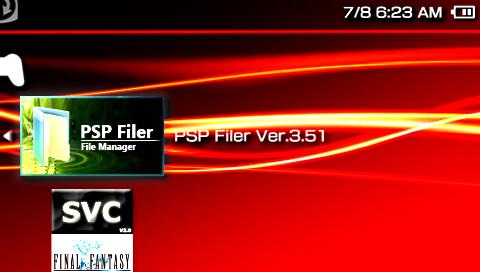 Fresh on the virtual shelves available for download is MediumGauge's newest revision of PSP Filer. For those of you who are unfamiliar with PSP filer, this program allows you to organize your files as well as access the flash folders to customize the look of your PSP. Great for on the go modification. Everybody loves to keep things tidy and pimped out at the same time right? If your nodding your head or saying yes, then you should give this program a shot. Without further ado, here's the change log for v3.51…
For now you can use the link below to download directly from MediumGauge's site, but check back for a direct download from pspbrew.
Link to our download section has now been added.
- Download (Pspbrew) - Download (MediumGauge) |
|
| Posted in PSP | No Comments » | |
|
 Yarrr matey's!! Fresh off the plank and available for download is MEXICANSNAKE and DEANAW22's update to PSPirates alarm clock. I'm sure current and previous users of v0.1 will be glad to hear about the 20% battery saving in alarm mode as well as many of the other updates packed into this useful application. Anyhow, take a gander at what this update has in store for you…
|
|
| Posted in PSP | No Comments » | |
 Well it seems that Art has released another version of his wonderful app "Time Baby". Just incase you don't know what this app does, it's an enlarged clock/alarm clock. Yea awesome app right? Well according to the developer, you are able to make your psp "tell" you the time just by the press of a single button. But the biggest jump to v4 is that the user is able to set the alarm, and the alarm will actualyl go off while the psp is suspended or in standby mode. So now the user no longer needs to worry about horrible battery consumption. So here are the changes:
Well since I know how much you all love alarm clock's I will give you the download links too
 . .Download via Rapidshare: Time Baby v4
Download via Megaupload: Time Baby v4
|
|
| Posted in PSP | No Comments » | |
|
-Digg: Easy way to arrive at the popular site digg.com
-Lock: Eye candy sweetness. This app enables the user to start a, often rather sexy, screensaver to show off the brilliant psp screen.
-Browser: An obvious internet browser dubbed "Expedition". Includes tabs and bookmarks.
-Messengers: Your gateway to messengers provided by eBuddy.
-Photos: An app that displays up to 10 photo's in 5 second intervals, similar to a slideshow.
-Weather: Weather forcast for our meteorologist members.
-Games: Easy way to access and play some flash games included with iPSP.
-Mail: Gateway to most email providers such as aol, msn, and yahoo.
-Vipr Online: Your way to access Vipr Online Media Service, which is currently still in development.
And I believe the rest are self-explanitory. Also included in v1.10 is an iPod service which allows the user to play music via PSPTunes, which is also included in the installation package, and a rather enjoyed update to the out-of-memory issue that v1.0 was faced with. Last but not least, read the readme included before you asks lots of questions. Note: This app is compatible with any official/custom firmware that has the web browser available to it, but in order to use the games, you need Official firmware/Custom firmware 2.71 or higher.
Website: iPSPv1.10
Download: Easy Installer | Zip Archive
|
|
| Posted in PSP | No Comments » | |
 Recently hombrew developer ChrisTek released a new version of his portal "iPSP". iPSP is a great substitute to use instead of the very costly iPhone. I know what your thinking, it's just another stupid portal. Actually, this is one of the best portal's I have seen for sure. This portal is a "copy" of the new and popular iPhone's interface. Some even say this portal is just as good as pspWxp, or even better. With it's nice sleek interface, along with very useful tools, I am sure this portal will become very popular soon. Ok, enough of me talking, here is a list of some important tools included in the very realistic portal:
| « Previous Entries | Next Entries » |