**NOTE:** As of Feb 14, 2018, all the Vita and PSP-related changes listed below are part of the official source and are automatically included in the automated “latest development builds” here: http://buildbot.scummvm.org/builds.html
However the PSP development builds on that site are are still crashing. The PSP version offered here works, so I will keep this release page up-to-date.
These are working builds of ScummVM for the PSP and Vita based on 2.1.0git development source from 20180319. The PSP development build here does not crash (the official buildbot build for PSP is currently crashing).
On the Vita, rear touch is enabled only when the option “touchpad mouse mode” is on. This option is off by default, but it can be easily turned on in the options menu in the control tab.
More information about controls on the Vita, including touch controls, is here:
http://wiki.scummvm.org/index.php/PlayStation_Vita
More information about controls on the PSP is here:
http://wiki.scummvm.org/index.php/PlayStation_Portable

(PSP Screenshot shown)
This release is for anyone who wants to test out the latest experimental version of ScummVM PSP or Vita.
## Recent changes:
- re-compiled with latest changes from git repository
- (Vita) implemented three-finger drag as right-button drag (useful to hold-down the right mouse button). Fingers have to be somewhat apart from each other, otherwise they are recognized as single or dual touch by the Vita.
- (Vita) allow ‘frontpanel_touchpad_mode=true’ option in ScummVM.ini. The option can be changed manually by editing scummvm.ini in a text editor. If the option is set, it forces front panel into indirect touchpad mode where the pointer doesn’t jump to finger.
- re-compiled with unstable engines enabled (prince and coward, etc.). Unstable engines are WIP.
- (Vita) Prevent jumping touch cursor on right click that was introduced with the drag-and-drop feature.
- (Vita) Add 2-finger drag-and-drop touch motion. This is useful for example in FT to bring up the action menu, or to scroll through the game list in the menu using the scroll bar. It works in the following way: holding down two fingers for a while initiates a drag’n'drop where the left mouse button is being held down. The first finger affects mouse motion during the drag, the second finger can be removed without affecting the drag. When the last finger is removed, the left mouse button is released and the drag is over. Note the second finger can be anywhere, it doesn’t have to be close to the first finger. Typical usage of dual finger drag and drop in FT: Hold down one finger over an object. Then hold down a second finger somewhere on the screen for a little bit to initiate a dual finger drag. This brings up the action menu. Now let go of the second finger. The dual-finger drag continues since one finger is still down. Select an action with the first finger and let go of the first finger to end the drag.
- (Vita) improved direct touch accuracy in all screen modes. Before this, sometimes the mouse cursor was slightly shifted to the right of the finger in some graphics modes when using front touch. This should now be fixed.
- (Vita) Always use direct touch on front touch panel. Enabling the option “touchpad mouse mode” enables rear touch with relative touch mode, but the front panel always stays in direct touch mode. Thanks to ScHlAuChi and Csnover for help and suggestions regarding usability of touch features.
- (Vita) rear touch is now enabled *only* when the new option “touchpad mouse mode” is on. This option is now off by default, but it can be turned on easily in the options menu in the control tab. This change is because many people find it annoying when they just hold the Vita and accidentally trigger rear touch events that move the mouse pointer.
Note: When “touchpad mouse mode” is off, the rear touch is disabled, and the front touch is in direct mode, where the mouse pointer always jumps to the finger position, like on a mobile phone screen. When “touchpad mouse mode” is on, both front and rear touch are enabled, and they are both in indirect mode, where the finger can be far from the pointer and still move it, like on a laptop touchpad. In this mode, the pointer speed setting affects how far the pointer moves in response to a finger movement.
- (Vita) improved direct touch accuracy
- (Vita) direct touch implemented on front panel. It can be disabled and enabled in the control menu. Indirect touch now uses the pointer speed setting.
- (Vita) touch controls on Vita. Left button: tap single finger. Right button: hold single finger while tapping second finger.
- (Vita) fix crash on startup on Vita
- Proper lipsync in DOTT and FT. The lips of the characters now stop moving during pauses in their sentences, just like in the original DOS games. We were playing DOTT and FT *wrong* the whole time. These patches are only lightly tested so far. The patches are by @rasky (DOTT) and @bonki (FT), thank you for fixing a longstanding problem!
- Faster screen refresh and less input lag in the menu
- Joystick mouse cursor speed is independent of screen resolution.
- (Vita) Better analog joystick precision for more precise pointer movements, due to re-compilation with latest SDL2 library for Vita.
- (PSP) Fixed cursor jumps in x/y coordinates, fixed new smooth cursor speed to the same that it was for the old, jerky cursor (can be adjusted in “Controls” tab).
- (PSP) Implemented smooth mouse cursor motion and control options where one can change mouse cursor speed and joystick deadzone settings.
- (PSP) Add new graphics mode “Fit to Screen.” This mode replaces the “4:3 Aspect Ratio” and “Keep Aspect Ratio” modes. The new “Fit to Screen” mode makes proper use of the “Aspect Ratio Correction” checkbox setting. If the checkbox is set, the aspect ratio will be forced to 4:3, useful for games like Full Throttle. If the checkbox is not set, the aspect ratio will be the original game aspect ratio, useful for games like Dreamweb.
- (PSP) Add new graphics mode “4:3 Aspect Ratio” (dam-soft, digitall, rsn8887)
Now the user has the choice between the old graphics mode “Keep Aspect Ratio,” good for 16:10 games like Dreamweb, and a new mode “4:3 Aspect Ratio,” good for 4:3 games like Full Throttle.


 rsn8887 has released ScummVM version 2.1.0git-rsn8887.19 for the PSVita.
 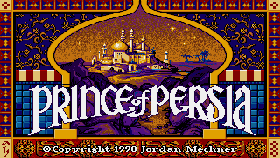 usineur has released SDLPoP-Vita version ita-1.5 for the PSVita.
  frangarcj has released NoPsmDrm version 1.3 for the PSVita.
  joel16 has released PSV VSH Menu version 2.10 for the PSVita.
  OperationNT414C has released ShellSecBat version V5 for the PSVita.
  xyzz has released pngshot version 1.1 for the PSVita.