|
|
![[PSVita] Arx Libertatis 2.0, PS Vita Recovery Menu 1.1.3 and VitaXMB 1.9.1](https://www.brewology.com/blog/wp-content/uploads/2026/10/psvita-arx-libertatis-7f4bf1b6.jpg) 3 PSVita homebrew apps were updated in the Brewology PSVita Store today:
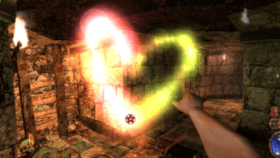 Arx Libertatis v2.0 by KingTorro Arx Libertatis v2.0 by KingTorro
- Substantially better performance (40-60fps)
- Substantially better view distance
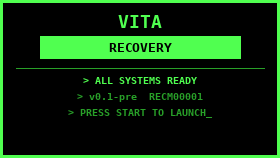 PS Vita Recovery Menu v1.1.3 by DrinkingSubset PS Vita Recovery Menu v1.1.3 by DrinkingSubset
PS Vita Recovery Menu v1.1.3
Install: download VitaRecovery_v1.1.3.vpk below, copy it to your Vita and install it with VitaShell.
Changelog
v1.1.3
- Fix: the update check failed at once with "DNS lookup failed (0×80410116)" because the DNS timeout was passed in the wrong unit. It is now 5 seconds.
v1.1.2
- Update check now uses its own HTTPS client (mbedTLS) instead of the Vita's built-in SSL library, which could not complete a handshake with GitHub on firmware 3.65 (errors 0×80435001, then 0×80431075).
- Certificates are checked against 28 root certificates bundled in the app (
source/ca_roots.h).
Full release notes in the store
 VitaXMB v1.9.1 by dekiller82 VitaXMB v1.9.1 by dekiller82
If an update ever fails, download VitaXMB-v1.9.1.vpk from this page and install it with VitaShell.
Warning: columns of your own, Emulators and Utilities do not work with every custom theme. Themes that paint the whole category bar (full-height panels or strips, like the Xbox 360 and Euphoria style ones) have no picture for them: those columns are hidden while such a theme is on and their apps appear in Game. Other themes show them with VitaXMB's own icons, which will not match the theme. Switch the theme off (Settings > Theme Settings > Custom Theme > Off) to see your columns.
Changed in 1.9.1:
- Sharper icons. Every XMB icon (the categories, the columns, the Settings rows and their wrench badge) is redrawn at twice the PSP's size, with the PSP's glassy shading and clean edges, so they no longer look blurry on the Vita's screen.
- Opening and leaving a list or folder follows the PSP firmware: the bar slides and the other categories fade in one 200 ms step (the firmware's own easing), and the apps under the category move with the bar at the same speed.
- Apps with square art (the VitaXMB Updater, YAMT, Simple Account Switcher and every other app whose only picture is its square icon) now get a landscape tile in every list and column, like the Game list's other entries: a blurred fill made from the icon itself with the icon centred on top, instead of a square in a dark frame.
Everything from 1.9.0 and before is included. Full notes: Changelog.
Download them from the Brewology PSVita Store.
|
|
Posted in Brewology, PSVita | No Comments »
|