|
|
![[PSVita] VitaDB Downloader .2.8, Deltarune Vita 0.79, PS Vita Recovery Menu 1.1.6 and 3 more](https://www.brewology.com/blog/wp-content/uploads/2026/10/psvita-vitadb-downloader-39211633.jpg) 6 PSVita homebrew apps were updated in the Brewology PSVita Store today:
 VitaDB Downloader v.2.8 by Rinnegatamante VitaDB Downloader v.2.8 by Rinnegatamante
- Severely improved download times by optimizing SSL cryptographic resolutions and fine-tuning download buffer sizes. (Up to 2x faster)
- Replaced Vibecoded Apps icon with a robot icon.
- Severely reduced booting times with several optimizations in hot paths of the app and caching repeated calculations where possible.
- Improved download errors resolutions and retries on unstable connections.
- Added a new feature "View Certified Reviews" in the Manage sub-menu to read reviews for apps having one or more.
- Added showcase of certified reviews score directly in the applications listing with an icon and a score nearby the application name.
- Added a new filter "Unreviewed Apps" to hide/show applications without certified reviews.
- Made so that the filter "AI Assisted Apps" does not hide Vibecoded Apps as well when anymore when disabled.
Full release notes in the store
 Deltarune Vita v0.79 by WolffsRoom Deltarune Vita v0.79 by WolffsRoom
<img src="https://deltarune.wiki/images/FRIEND_overworld_vision.gif?cb=exya2v&h=thumb.php&f=FRIEND_overworld_vision.gif" alt="Friend Overworld" width="120">
[!WARNING] This is an internal development pre-release, not a release candidate. Bugs, visual differences, performance drops, freezes, and GPU crashes may still occur on real hardware.
Included build: v0.79-1. This release merges the public VitaGL line with the Native GXM work that was tested privately after v0.78 (builds v0.78-12 to v0.78-16). The previous development release was v0.78.
Highlights
Native GXM stability
- Fixed the GPU crashes on room changes in Chapters 2, 3 and 5. Deleted textures were released after four NanoVG flushes instead of four presented frames, so borders and atlases replaced on room entry could be freed while the GPU was still sampling them.
- The main thread now has a 4 MiB stack (GML calls run recursively), and the C heap stays at 128 MiB so textures and surfaces keep enough memory.
draw_primitive_*, vertex colours, textured primitives and vertex_submit are implemented. The Chapter 3 videogame minigame no longer aborts with C2-12828-1. Other unsupported states are logged and skipped instead of closing the game.
Full release notes in the store
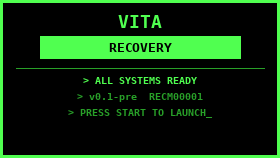 PS Vita Recovery Menu v1.1.6 by DrinkingSubset PS Vita Recovery Menu v1.1.6 by DrinkingSubset
After installing, open Recovery Installer and reinstall the boot plugin, then reboot. Rebuild Database needs the new boot plugin.
v1.1.6
- Rebuild Database now works, through the boot plugin. The app is a safe homebrew and can't see
ur0:shell, so it now writes a request file (ur0:tai/rebuild_db_trigger). At the next boot, before the home screen starts, boot_recovery.skprx deletes ur0:shell/db/app.db and the system rebuilds it. The result appears as a notice on the main menu.
- Requires the updated boot plugin: reinstall it from Recovery Installer after updating. The screen tells you if the plugin is missing or older.
- A clear warning first: home screen folders are removed and bubbles go back to the default order. Games, apps and saves are not deleted. A second "Are you sure?" follows.
- If a rebuild is already scheduled, you can keep it or cancel it.
- Needs Enso (plugins loading at boot). On h-encore the plugin loads too late, so the delete is skipped and reported, never done while the home screen is using the database.
- Sony Recovery: pressing O on a confirm screen goes straight back to the list. The confusing "SUCCESS / Cancelled" screen is gone. Closing a result screen with O no longer also closes the list.
Full release notes in the store
 METEOR VII VITA v0.09.00 by Galetote METEOR VII VITA v0.09.00 by Galetote
Install ff7_vita_v0.09.00.vpk over any previous version. Game data stays in ux0:data/ffvii-vita/ ([DATA.md](DATA.md)); no game data is included.
New: port menu
Hold L + R and press Start. L / R switch tabs; the bottom of the menu explains the selected item. Choices are saved in cheats.txt.
- Cheats: infinite HP/MP; battle EXP and gil x2/x3/x4; add any materia (picked by color) or summon, at level 1 or max.
- Gameplay: faster walking/running in fields and on foot on the world map (x2/x3/x4, nothing else speeds up); automatic dialog skip (questions are left to you); dialog language (English, French, German, Spanish, Japanese, applied at the next start); back to the title to load another save.
- Debug: shortcuts to every 3D minigame and to the world map on the buggy, submarine or Highwind; scene markers; profiler and A/B switches for reports.
Performance
- Minigames: steady 30 fps in the submarine (was 27.5), roller coaster and chocobo race (was 16–24); snowboard capped at a steady 30 fps; faster G-bike. Most of their drawing and math now runs as native code checked against the original.
Full release notes in the store
 Tweebbo Vita v1.4.0 by Tweebbo Tweebbo Vita v1.4.0 by Tweebbo
Tweebbo for PlayStation Vita 1.4.0
Play in the same hotel as PC, mobile, Nintendo 3DS and Nintendo Switch.
- Fast Food, Battle Ball and Snow Storm in Game Center, with practice and online play.
- Classic Battle Ball and Snow Storm lobbies in public rooms and offline navigation.
- Six languages in Help / Language: English, Spanish, Chinese, Japanese, French and Brazilian Portuguese.
- More detailed Fast Food textures and smoother scaling, keeping the same 4 MiB texture budget.
- Game textures and audio are released on close; update downloads have improved buffering and response validation.
- A saved room that no longer exists returns you to reception.
Full release notes in the store
 VitAdhoc v1.1 by CBOC-Vita VitAdhoc v1.1 by CBOC-Vita
VitAdhoc 1.1 — sound fixes
A rebuilt audio path for Game Boy Advance, Game Boy and Game Boy Color.
- Steadier output: two fixed, aligned buffers take turns, so a long frame no longer causes gaps or clicks.
- Correct stereo: left/right routing of the GBA direct-sound channels is fixed.
- Cleaner start, stop and pause: short fades remove pops when opening a game, pausing, resuming or loading a state; the audio channel is closed properly on exit.
- Right pitch and tempo at any speed: square, wave and noise channels follow the real sample rate.
- Fresh start after loading a state: leftover sound no longer carries over.
- Safer against bad data: damaged save-state sound data is rejected instead of producing noise.
Full release notes in the store
Download them from the Brewology PSVita Store.
|
|
Posted in Brewology, PSVita | No Comments »
|