Meta 
Meta


PSVita News

The Legend of Sword and Fairy usineur has released The Legend of Sword and Fairy version 1.0 for the PSVita.

## Installation:

- Install `sdlpal.vpk` using VitaShell
- Download the official PC game freeware (for Windows 98): http://update1.baiyou100.com/resource/Pal98rqp.zip
- Copy all files to `ux0:data/sdlpal`
- Download the english patch: http://www.romhacking.net/translations/2441/
- Overwrite `m.msg`, `sss.mkf` and `word.dat`, add `m_chs.txt` and `m_eng.txt` from the “patch” archive to `ux0:data/sdlpal`. **WARNING**: take care of case. It may differ between the official pc game and the “patch”
- Copy the `sdlpal.cfg` given here into `ux0:data/sdlpal`

## Controls:

| Keys | Exploration | Combat mode |
| — | — | — |
| Up | Move to North / Up | Up |
| Down | Move to South / Down | Down |
| Left | Move to West / Left | Left |
| Right | Move to East / Right | Right |
| X | Select / Interact / Skip dialogues | Select |
| □ | Spell | Attack |
| O | Open menu / Cancel | Cancel |
| △ | Status | Status |
| Hold L + Up | Jump to the previous page of “Item” | Jump to the previous page of “Item” |
| Hold L + Down | Jump to the next page of “Item” | Jump to the next page of “Item” |
| Hold L + Left | Jump to the first “Item” of current page | Jump to the first “Item” of current page |
| Hold L + Right | Jump to the last “Item” of current page | Jump to the last “Item” of current page |
| Hold L + X | – | Defend |
| Hold L + □ | – | Auto mode (COOP) |
| Hold L + O | Leave game (with confirmation) | Flee |
| Hold L + △ | – | Repeat |
| R | Use Item | Use Item |
| Hold L + R | Equip Item | Throw Item |

## Changelog:

1.0:
- First public release

Download The Legend of Sword and Fairy from the Brewology PSVita Store.

Posted in Brewology, PSVita | No Comments »

ONEMenu for PSVita Team ONElua has released ONEMenu for PSVita version 2.01 for the PSVita.

- Fix some bugs.

Download ONEMenu for PSVita from the Brewology PSVita Store.

Posted in Brewology, PSVita | No Comments »

ONEMenu for PSVita Team ONElua has released ONEMenu for PSVita version 2.00 for the PSVita.

### Changelog 2.00 ###
- Icons and games list loading time reduced everytime Onemenu is started.

- New categorie “Favorites”.

- “Favorites” section at advanced submenu.

- Categorie PS Vita games/homebrews got separated into “PSVita” and “Homebrews Vita”.

- PSP and PSX content unified into one categorie : “Retro Games”.

- Lines added to english_ux.txt …Dont forget to update your translations.

- Now your avatar icon gets downloaded to ux0:data/onemenu so it can get loaded offline.

- Images PSP.PNG y PS1.PNG got eliminated and instead the image RETRO.PNG has been added for the categorie PS Retro games (for PSP and PS1 games).

- Added the image HBVITA.PNG for Homebrews PSVita categorie.

- Added two lines on the theme ini file :

COUNTCOLOR to print the folder/file count in the file explorer.

CBACKSBARCOLOR to draw the bars in the callbacks section.

Download ONEMenu for PSVita from the Brewology PSVita Store.

Posted in Brewology, PSVita | No Comments »

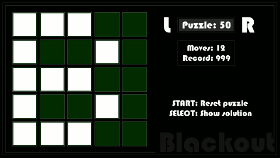
Blackout dragaron has released Blackout version 1.00 for the PSVita.

Initial release.

Download Blackout from the Brewology PSVita Store.

Posted in Brewology, PSVita | No Comments »

Xerox dragaron has released Xerox version 1.00 for the PSVita.

Initial release. Fully functional as is.

Download Xerox from the Brewology PSVita Store.

Posted in Brewology, PSVita | No Comments »

Xerox dragaron has released Xerox version 1.00 for the PSVita.

Initial release. Fully functional as is.

Download Xerox from the Brewology PSVita Store.

Posted in Brewology, PSVita | No Comments »

CookieClicker-Vita Creckeryop has released CookieClicker-Vita version 0.2 for the PSVita.

ALL CODE WAS REWRITTEN

New features:
- Upgrade (Experemental (28 upgrades)) (every upgrade gives x2 to CpS)
- Auto-save Every 10 minutes

Changes:
- Added OnScreen Buttons
- Added Settings menu with one option(Reset save)
- Added Cookie shower
- Added Milk (just animation)
- Added Shadows behind buttons
- Little Optimization
- Changed livearea bg and startup images
- Minor fixes
- New savefile for upgrades (ux0:/data/ccupsave.sav)
- Fixed >10 000 cps Error
![2017-11-20-002918](https://user-images.githubusercontent.com/25725992/32995480-cc706c18-cd96-11e7-967b-0a4887daa1b0.jpg)

Download CookieClicker-Vita from the Brewology PSVita Store.

Posted in Brewology, PSVita | No Comments »

ONEMenu for PSVita Team ONElua has released ONEMenu for PSVita version 1.01 for the PSVita.

### Changelog 1.01 ###
Please update your translations…Two new lines were added:

*PGF Font*
*PVF Font*

- [FIX] Incorrect display of LiveArea app names.

- [FIX] PS Button lock when using FTP and USB mode.

- [FIX] Some errors in the internal code.

- [FIX] Standard format month/day/year.

- [NEW] Support to change the type of font (PGFPVF) in advanced options.

- 3 added shortcuts:

- L + R + Up: Restart ONEMenu.

- L + R + Down: Restart PSvita.

- L + R + Square: Shutdown PSvita.

Download ONEMenu for PSVita from the Brewology PSVita Store.

Posted in Brewology, PSVita | No Comments »

HOTA for Vita usineur has released HOTA for Vita version ita-1.1 for the PSVita.

## Installation:
- Install `HOTA.vpk`
- Extract the [hota.zip](https://www.ferb.fr/gekihen/hota.zip) archive into ux0:data/

## Controls:
| Keys |   |
| — | — |
| Arrow Keys | Move the alien |
| O | Action or run |
| X | Jump |
| □ | Use whip |
| L / R | Quick load / save |
| Start | Access to code page |

## Changelog:
1.1:
- Better ratio aspect

1.0:
- First public release

Download HOTA for Vita from the Brewology PSVita Store.

Posted in Brewology, PSVita | No Comments »

PSV VSH Menu joel16 has released PSV VSH Menu version 1.10 for the PSVita.

- Added a config to store and load data once the module has been started.
- Added VSH Menu bg colours for minimal customization. (Just like Ultimate VSH Menu for PSP)
- Added “Launch program” tab which allows you to quick launch VitaShell or Settings app. I plan to make this option more ‘adoptable’ later. Say loading list of apps from an external file or so.
- Added a battery percentage toggle. (Basically the same as batteryPercent plugin)
- And finally, clock states are now saved into config and will be restored once the plugin has been started.
- Minor clean-up.

The button combo to open the VSH menu is: **L + R + START**

**If you’d like to support me, then buy me a coffee, I’d really appreciate it! https://www.paypal.me/Joel16IA**

Download PSV VSH Menu from the Brewology PSVita Store.

Posted in Brewology, PSVita | No Comments »

« Previous Entries Next Entries »